Development journal / Fluffmark
Fluffmark development journal: making image annotation a joy
How Fluffmark grew from a shared annotation component into its own app, with automatic text layout, subject wrapping, a text brush, animated strokes, and platform-specific interactions.
Where the idea came from
Fluffmark has a funny origin. I meant to build a shared annotation component for all my image apps. As I worked on it, I became unexpectedly passionate about the product itself. I fell in love with using it to post pictures with words, and found myself wanting to express more.
What the app does
Let me get straight to the features.
First, it is an image annotation app that handles still images, GIFs, and Live Photos. It exports the same kind of format that you imported. Annotations on GIFs and Live Photos are added as an overlay, preserving the underlying animation.
The annotation tools include:
Adding text
Drawing lines, with configurable arrowheads at either end
Freehand drawing
Blur
Pixelation
Rectangles
Circles
Inserting images
Cropping or extending the canvas
Rounded corners
I will focus on the features into which I put the most thought.
Adding text
My friends Xiaoyun and Xiaoyu often posted pictures with words written directly onto them in WeChat Moments. That made me wonder: how nice would it be to just write the words, without adjusting the style and position? So I built automatic text layout, with a few useful details:
Avoid the subject automatically. Find a place for the text that does not interfere with what the picture is about.
Match colors automatically. Use key colors from the image to suggest several text palettes. Usually, the default already looks good.
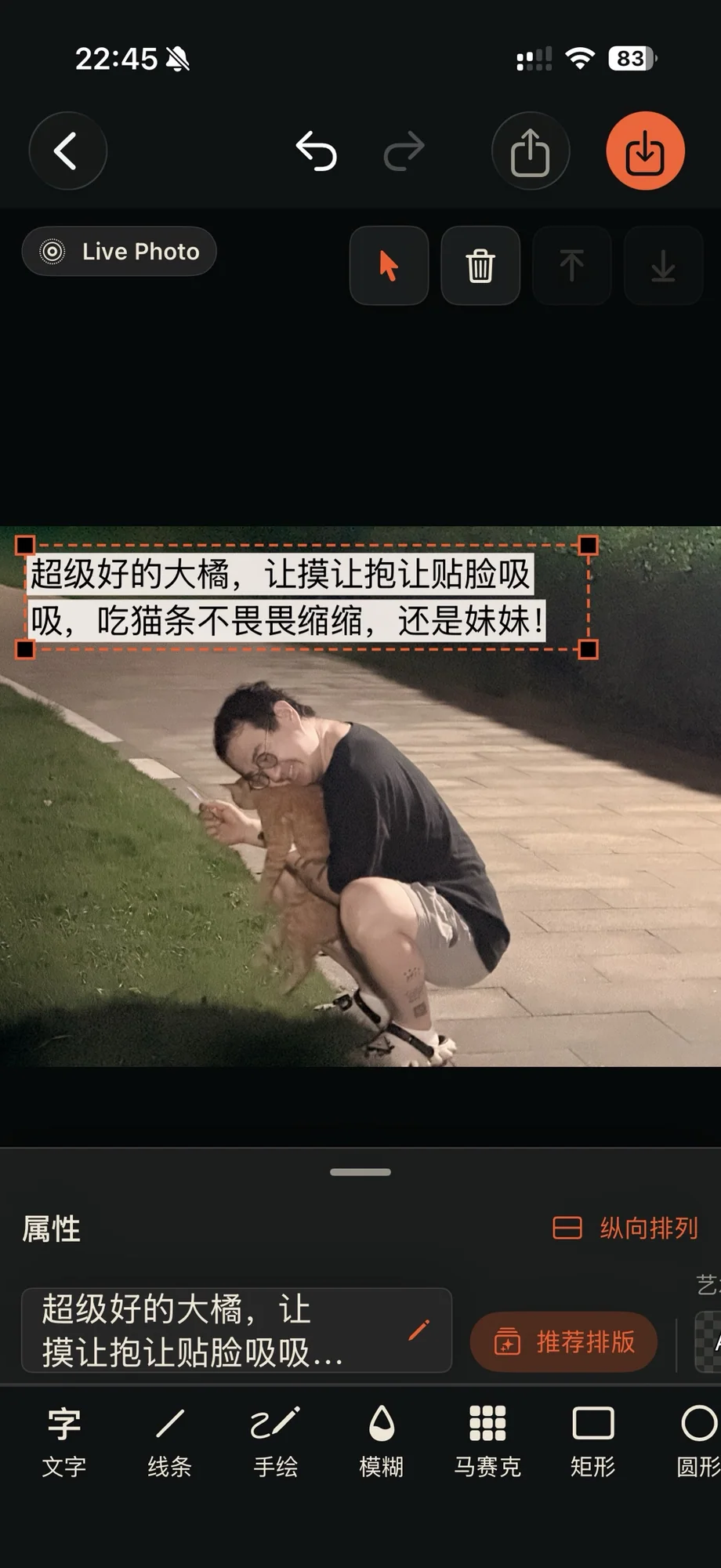
Automatic layout and color matching
Beyond the ordinary text controls, I added several more unusual features:
Wrap around the subject. Arrange words along the outline of the main subject, usually a person, to create a wrapping effect.
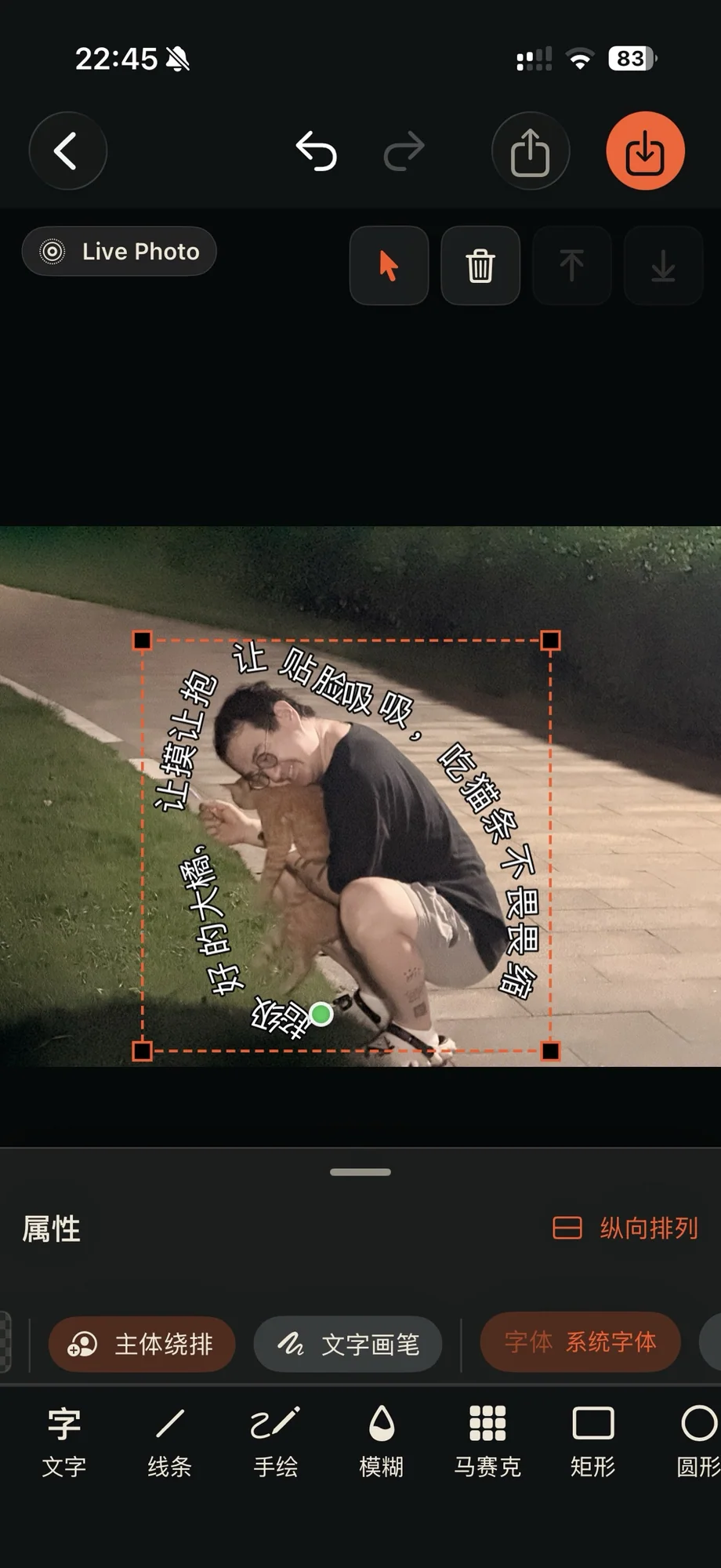
Text wrapping around the subject Text Brush. Think of it as manual subject wrapping, with more freedom to draw words into unexpected shapes.
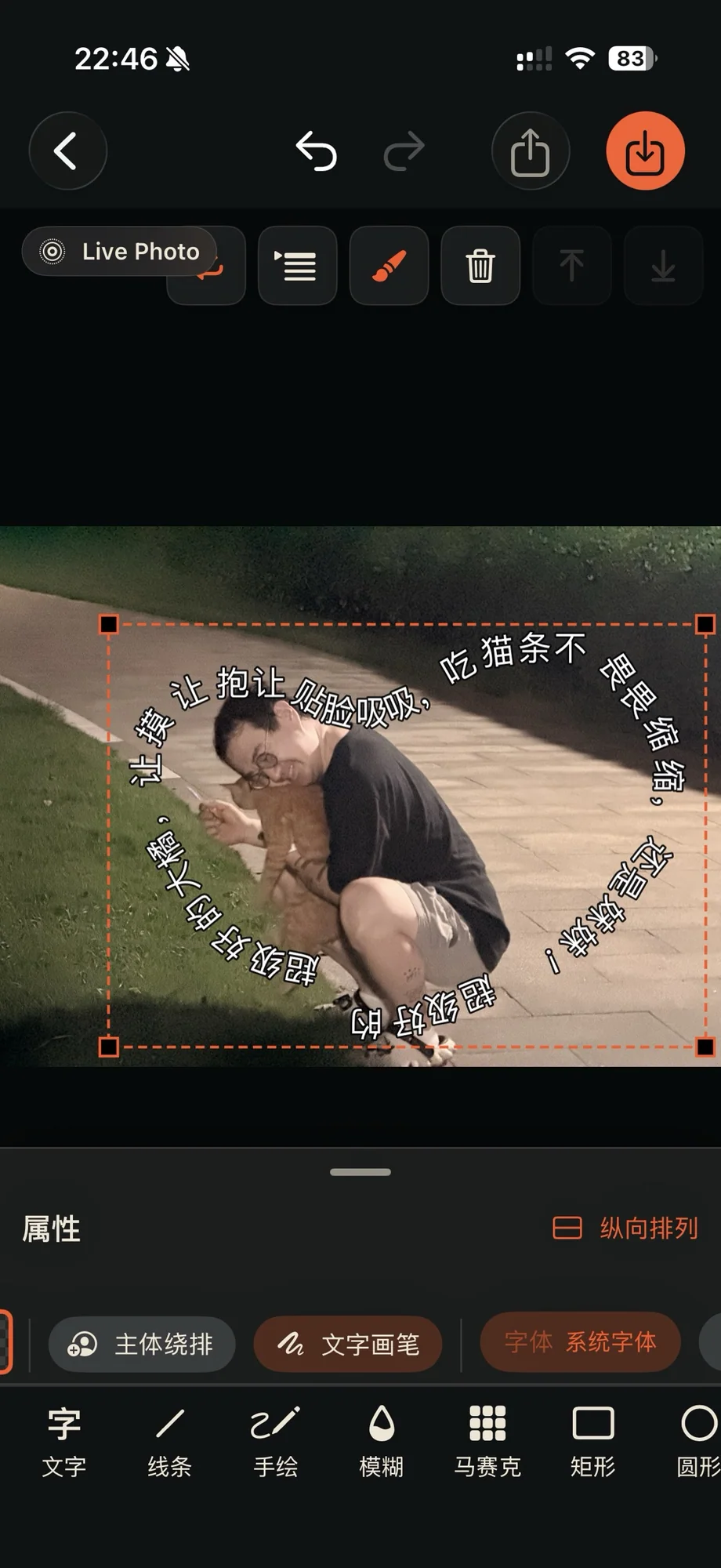
Text Brush Adaptive two-tone text. Each character switches to black or white according to the image underneath it, creating stronger contrast.
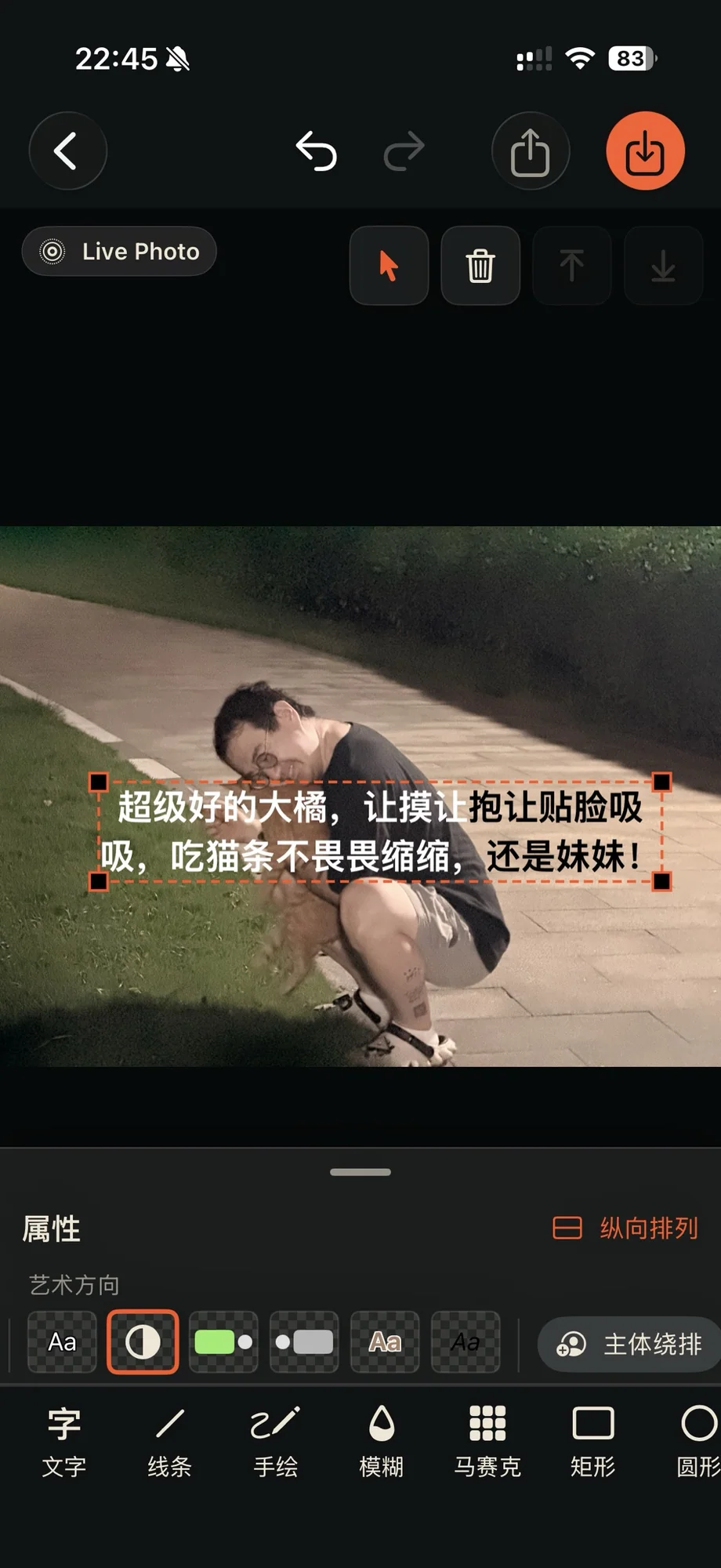
Adaptive two-tone text WeChat chat bubbles. This recent addition recreates the familiar, eye-catching look of a WeChat conversation. Choose avatar images for yourself and the other person the first time, then reuse them next time.
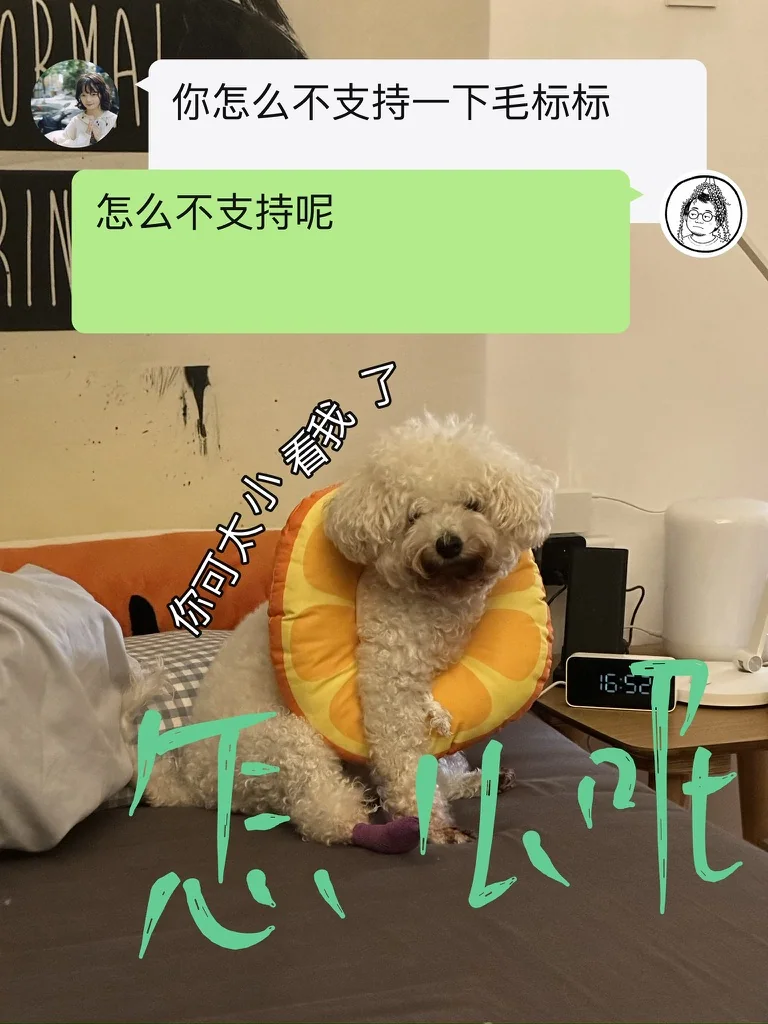
WeChat chat bubbles
Freehand drawing
Calligraphy brush strokes. I brought an earlier calligraphy-brush demo into this project. Fluffmark can produce very realistic ink strokes; even a simple hand-drawn circle looks much more expressive than an ordinary digital brush mark.
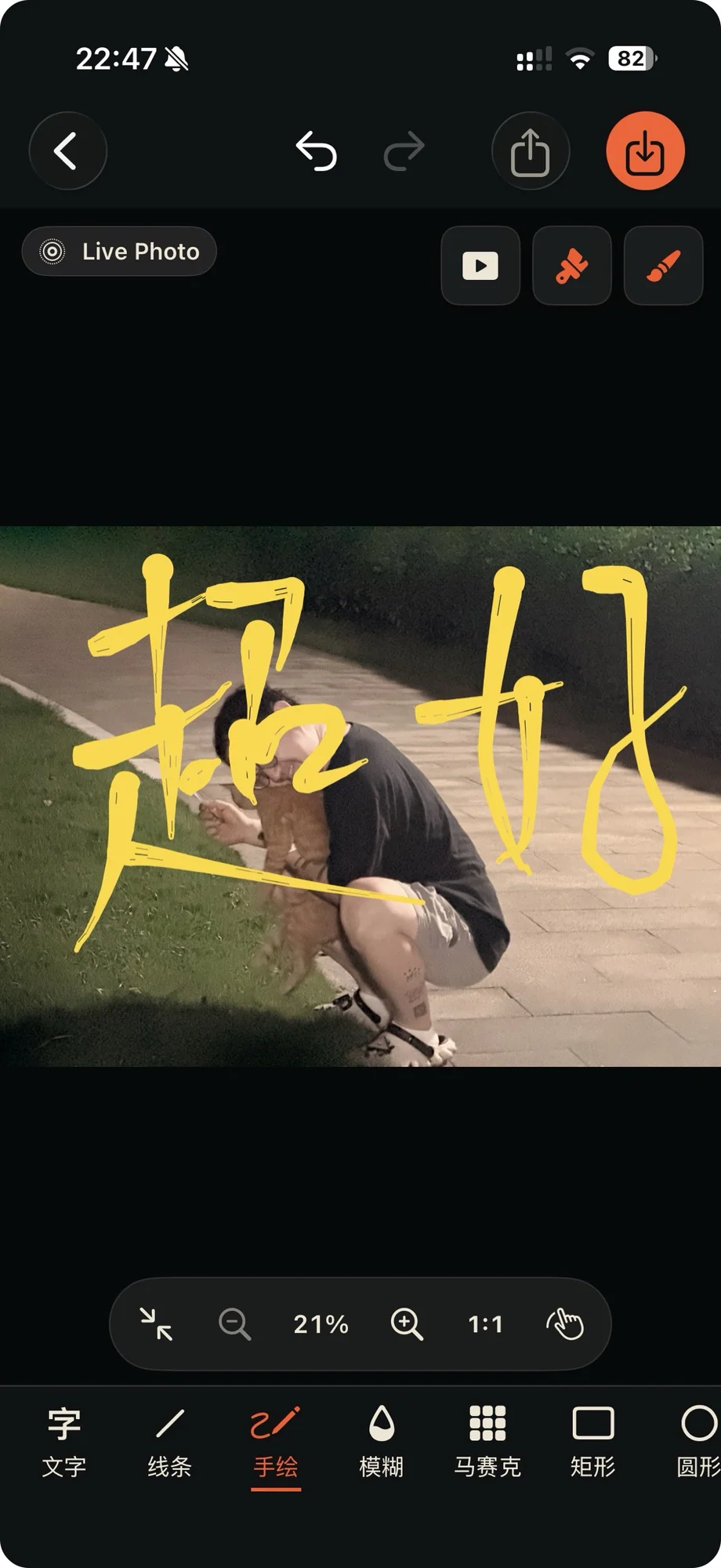
Calligraphy brush strokes, with rounded corners shown too Play back the strokes. When editing a Live Photo, enable stroke playback. In the exported Live Photo, your drawing appears in motion, as though you were writing it again.
Animated stroke playback
Images
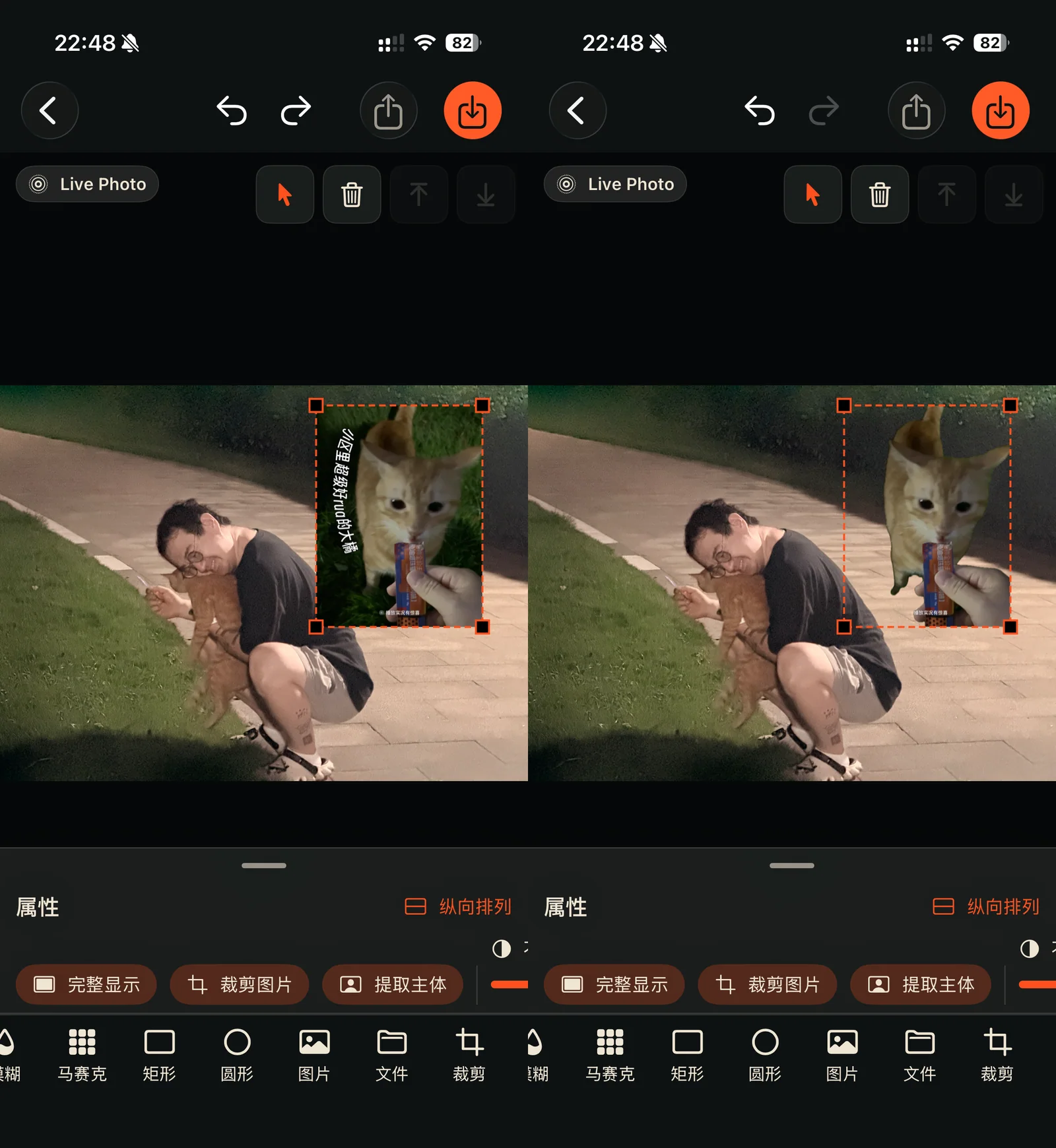
When inserting an image, you can extract its subject too. That opens up all kinds of playful collage possibilities.
Other details
I have spent a long time polishing this app and use it every day. Some of the interaction details include:
The interface hides while you use tools on the image, so you can see the whole picture.
Drawing and zooming the image do not interfere with each other.
The toolbar has gone through many revisions to make a small space work well.
The app is available on iOS, iPadOS, and macOS. On the Mac, I made platform-specific improvements such as dragging in images, using Finder-based open and save dialogs, and supporting keyboard shortcuts.
Price
This is also what I describe as my first entirely free product, with only optional financial support. If you enjoy it, you can contribute RMB 18 once or RMB 18 per year to help me make better, affordable products. Choosing not to contribute does not affect any functionality. I jokingly call it the start of my internet begging.
As with my other apps, there is not much hand-holding. Try the tools and explore. Undo and redo are well developed, so you do not need to worry about losing your work while experimenting. I hope you enjoy using it and feel more inspired to express yourself.