Development journal / Focus Faraway
Focus Faraway development journal: you focus, your avatar travels
After a road trip around China, Focus Faraway turned time spent concentrating into a virtual journey. This diary also follows the 3D characters from concept art to models.
This was always going to be a very personal, rather solitary app, probably used by few people. But Yang and I love it.
Where the idea came from
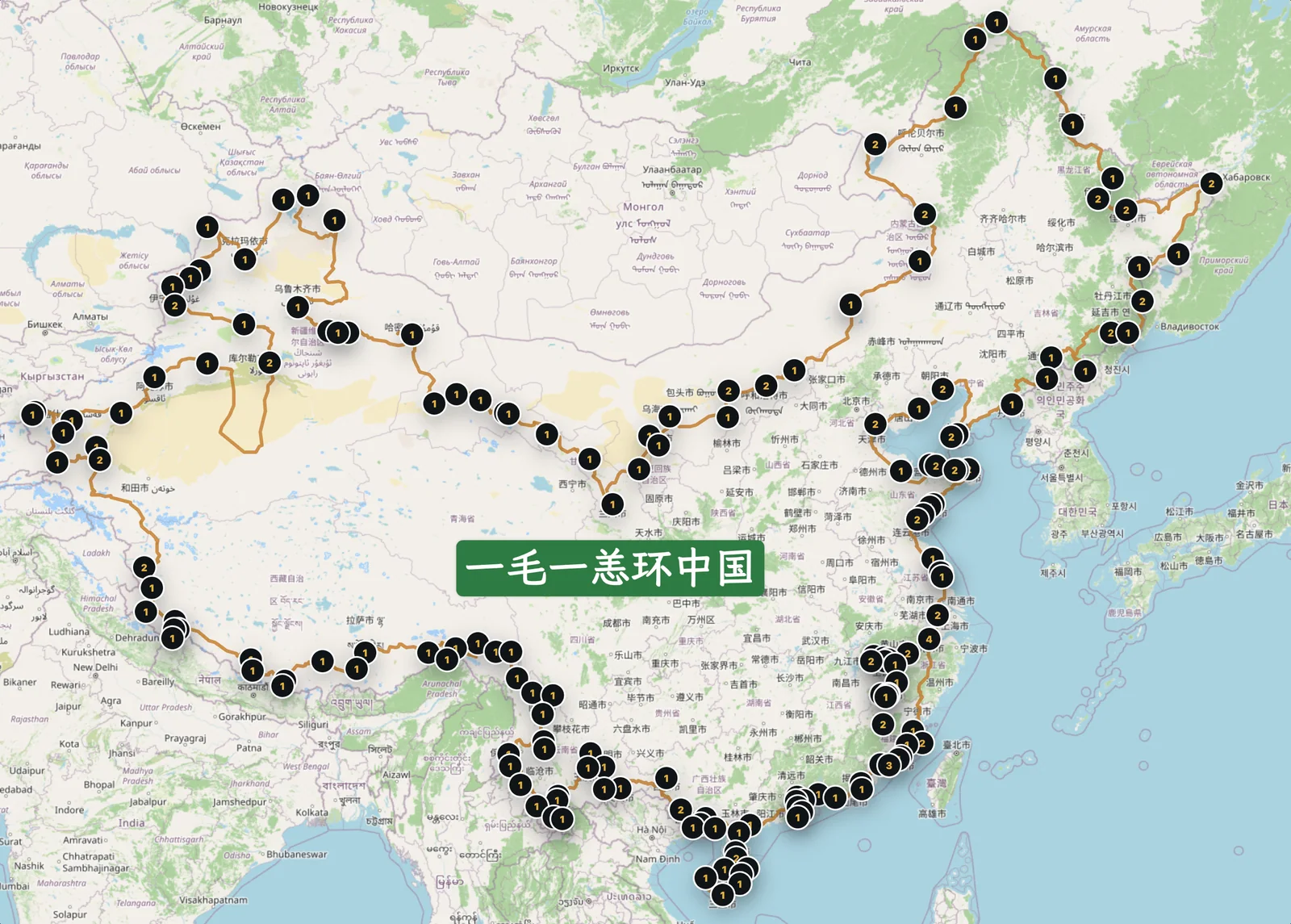
On August 13, 2025, we began the longest and most wonderful trip of our lives: “Mao & Yang Around China.” It lasted 234 days and covered 39,580 kilometers. Starting in Xiamen, we traveled counterclockwise along China's borders, reaching Dongji Square in Fuyuan in the east, Beihong Village in Mohe in the north, the westernmost border area, and Nanjicun, the southernmost village on the mainland. We also drove around Hainan before returning to our little home in Hangzhou on April 3, 2026. Ordinary but fulfilling life at home resumed, and distant journeys were put aside for a while.
Back home, life meant learning, entertainment, exercise, and work. Within that routine, our longing for distant places did not fade; it grew stronger. One day, Yang suggested an app idea. I was building my independent studio at the time—“studio” meaning just me—so I eagerly took it on and started developing it.
It is a simple focus timer. I suspect many people do not need one: those who can concentrate may not need an app, and an app alone may not help those who struggle. Many Pomodoro apps train concentration, starting with very short sessions. Our app is less concerned with that. It mostly records the time you spend concentrating; what happens as a result is the part that matters to us.
What the app does
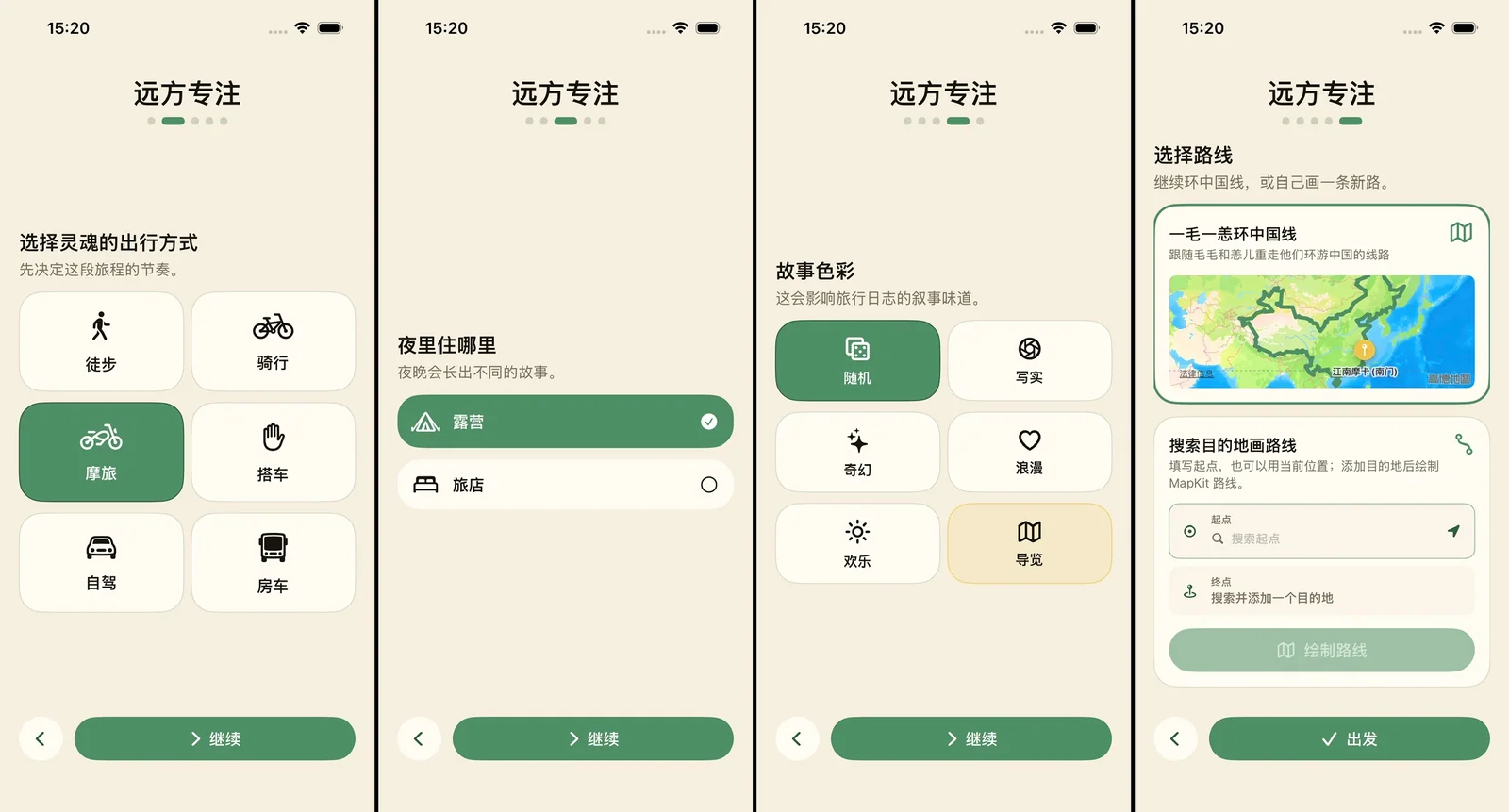
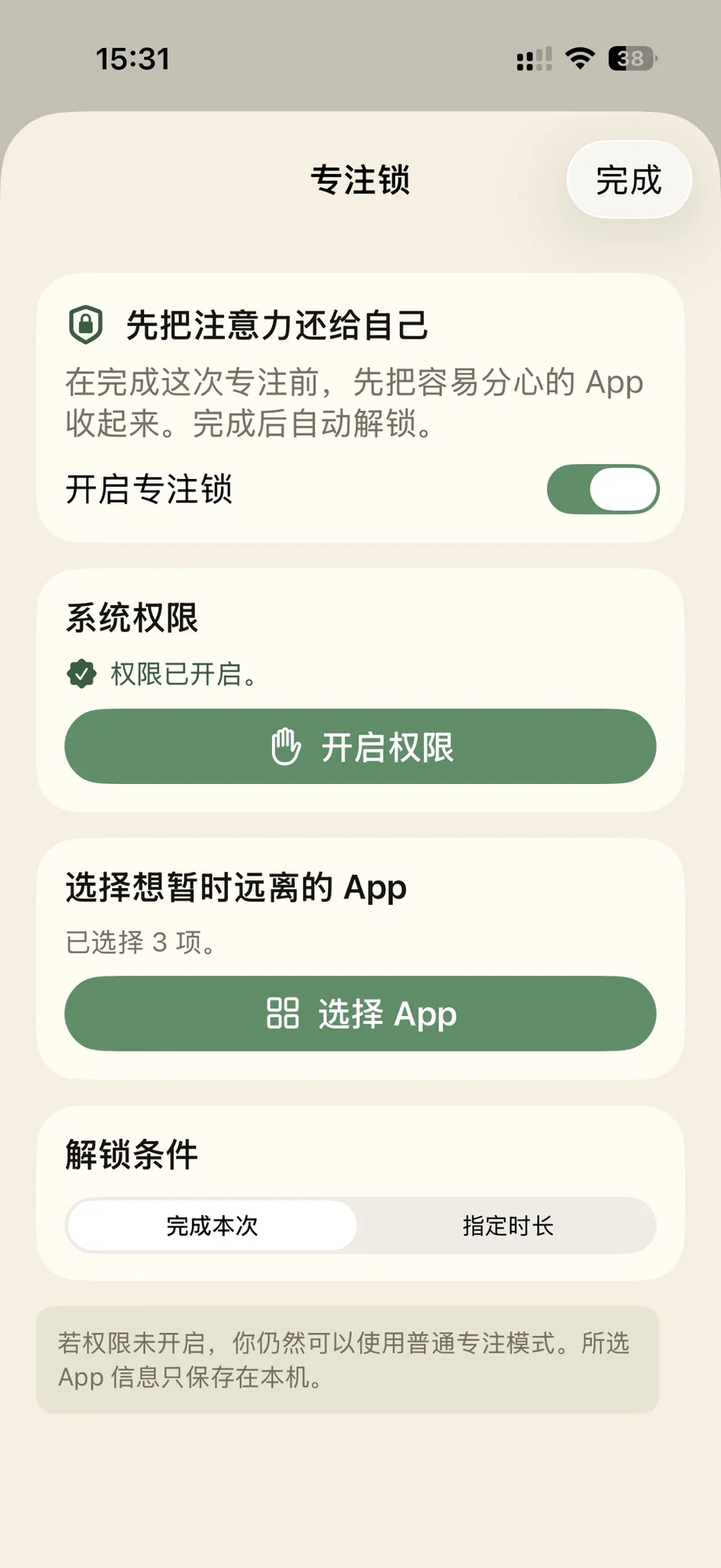
During setup, choose a destination you would like to visit, or follow our “Mao & Yang Around China” route. Then select an activity and start recording time when you settle down to it. The app can lock other apps until your focus session ends, rather like a similar feature in Duolingo. If you do not want to keep scrolling through Xiaohongshu or chatting on WeChat, lock them. Start a reading session, and those apps stay unavailable until you finish.
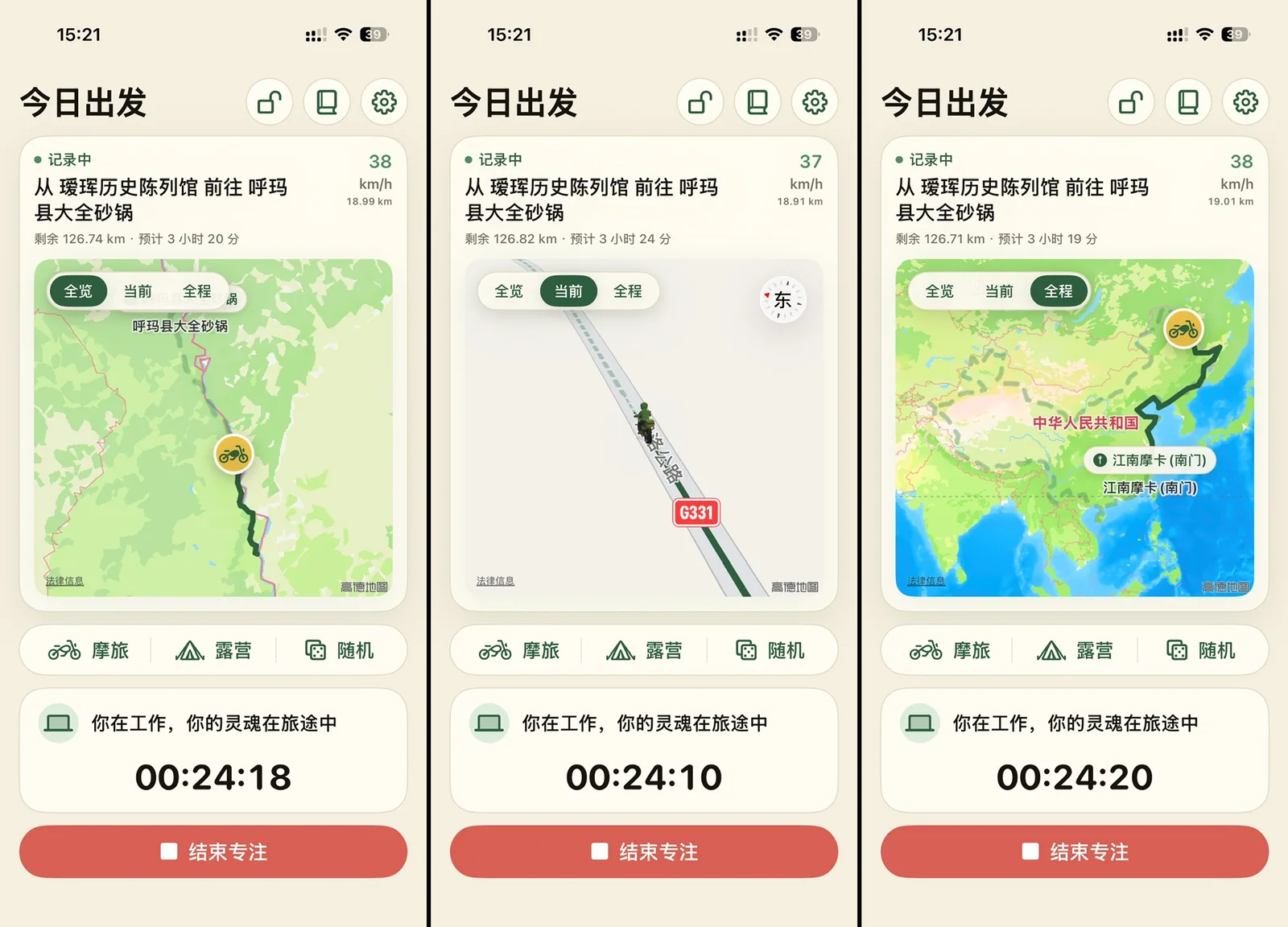
What does the app do while you concentrate? It travels on your behalf. Remember the destination or the route you chose? Your virtual self moves along that route at a pace based on real-world travel time, with real weather and climate taken into account. You might be watching TV at home, working in an office, exercising at the gym, or reading in a library, while your avatar travels around China. Since the app uses Apple's global MapKit data, traveling around the world should theoretically be possible too, but I have not tested that.
When a focus session ends, that stage of your avatar's journey ends too. It stops and gathers the scenery, foods, local specialties, and attractions encountered along the way, presenting them like a list of achievements. Open an item for details. For an attraction, you can jump to its location in a map app and save it. When you have time for a real trip, you can follow your avatar's footsteps. Somehow I have become the one following the virtual stand-in!
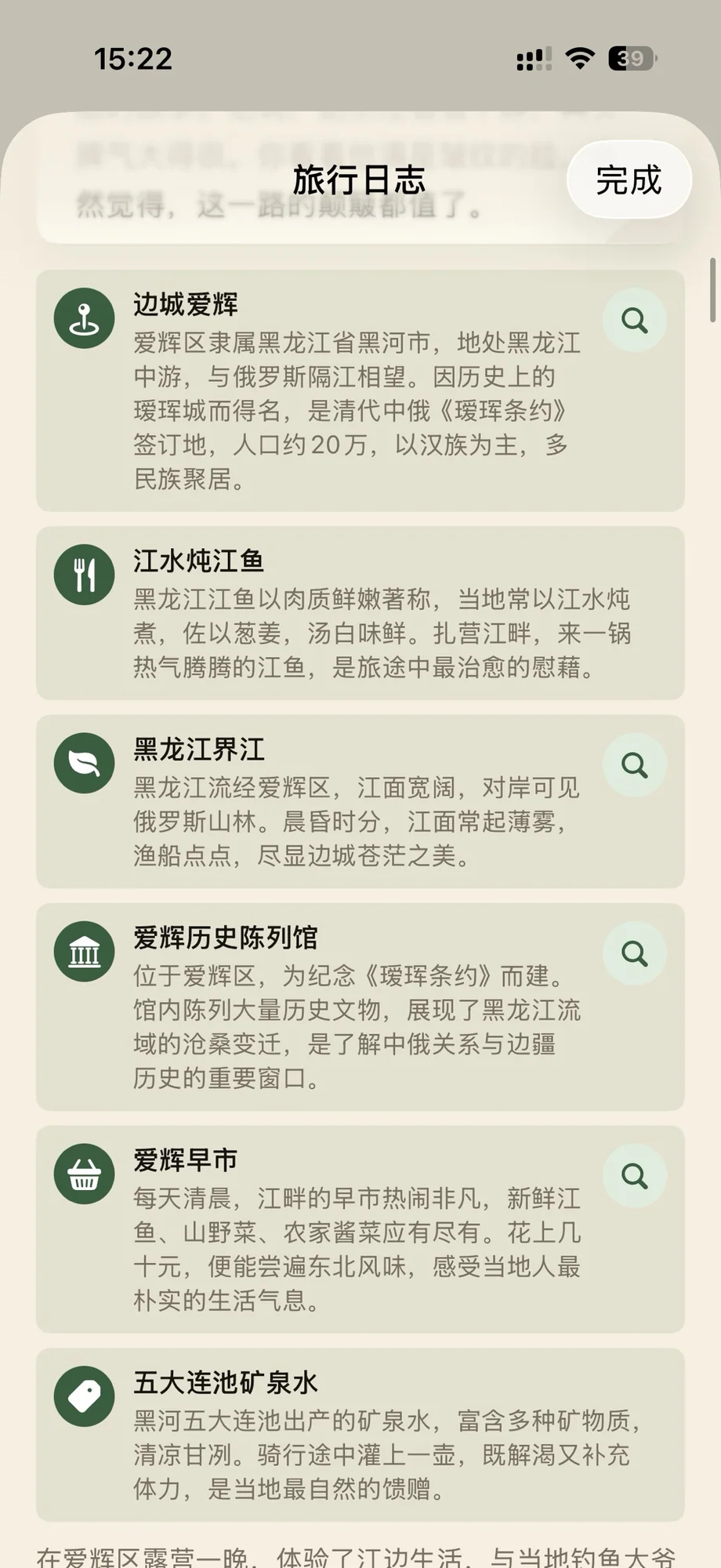
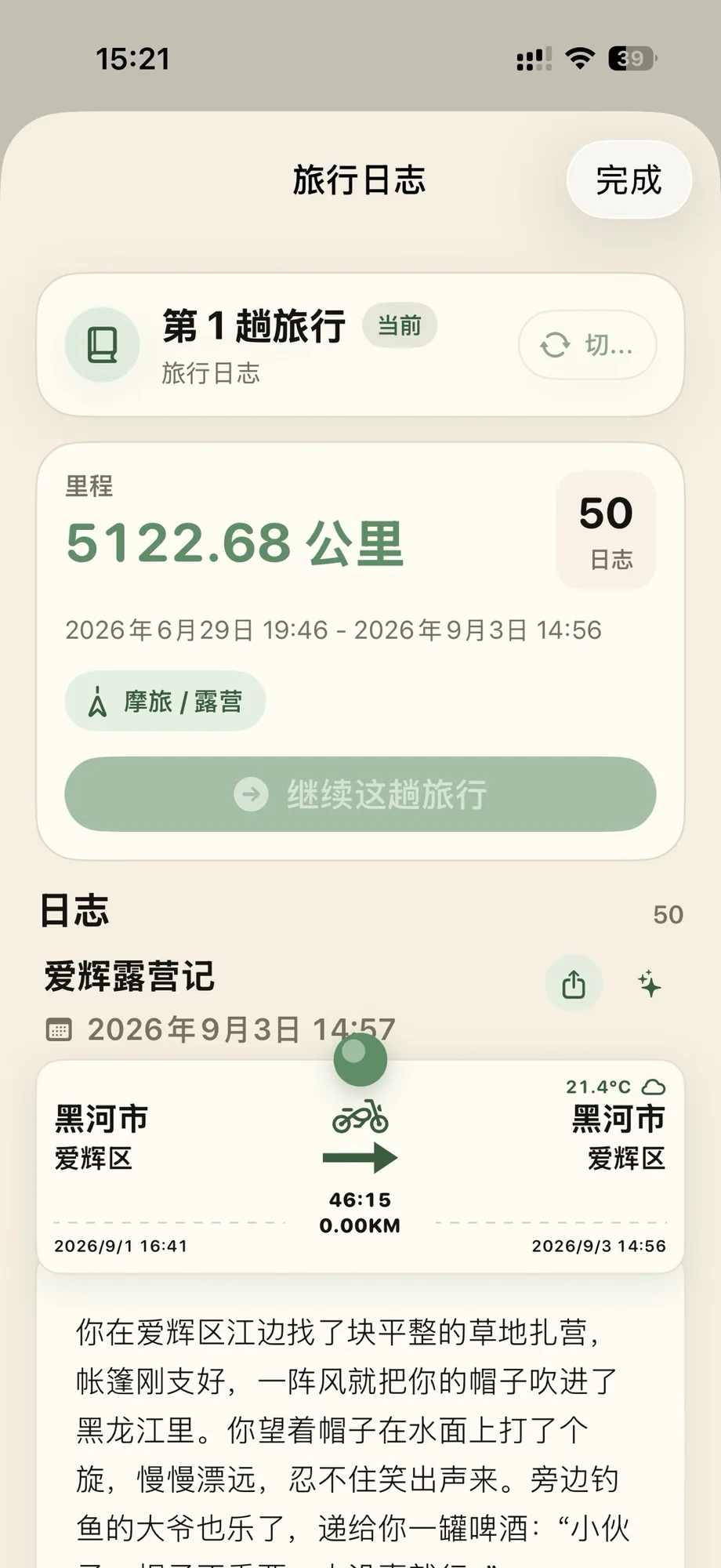
Your avatar also writes a short story about that part of the journey. It is fun to read, but over time the fixed structure starts to feel repetitive. I added another mode: instead of a story, write an informative guide. Each place can then come with a short introduction to its history, scenery, and food.
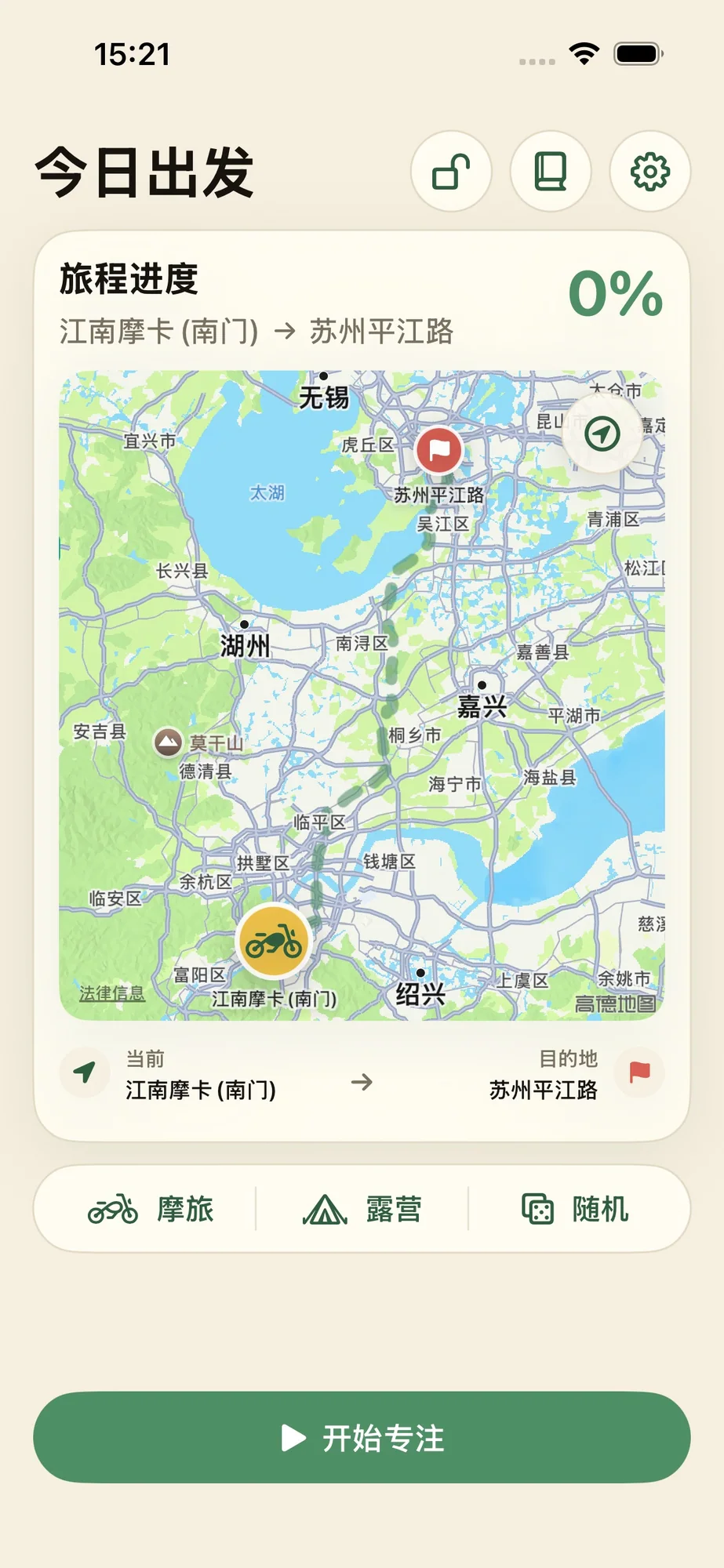
Choose from six ways to travel: camper van, driving, hitchhiking, motorcycle, cycling, or walking. Each has a different travel speed and overnight arrangement. You can stay in a hotel, camp, or sleep in the vehicle. Different combinations produce different stories. You can change them during the journey too; otherwise, what if you immediately regret choosing to walk?
Stories from development
This was my first time working with 3D. I wanted a small traveling character on the map, with five visual forms: camper van, SUV, motorcycle, walking, and cycling. First, I asked Codex to build them itself. The models it assembled from geometric shapes were awful—essentially stick figures.
Next, I tried several major 3D model-generation services. Their results looked passable from far away, but the flaws were obvious up close. There were many useless polygons and very few that contributed anything. The models looked like bits mashed together until they vaguely resembled the requested object.
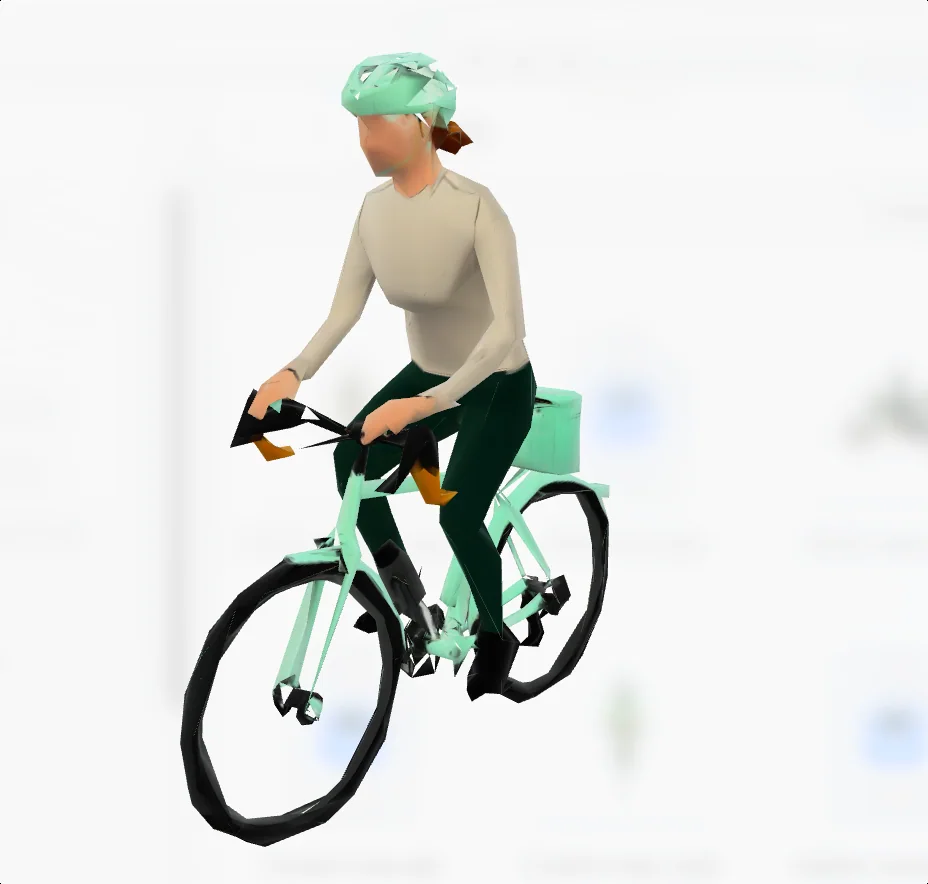
The generated model looked very different from every angle For my third attempt, I asked Codex to find free models online that matched my needs, including both commercially usable and noncommercial models. This produced better-looking candidates, but their styles did not match. Almost no single provider offered all five models I wanted, much less male and female variants. Many models were also far too detailed, with files tens of megabytes in size. I only needed a tiny shape on a map. That was enormous overkill, with a correspondingly large energy cost.
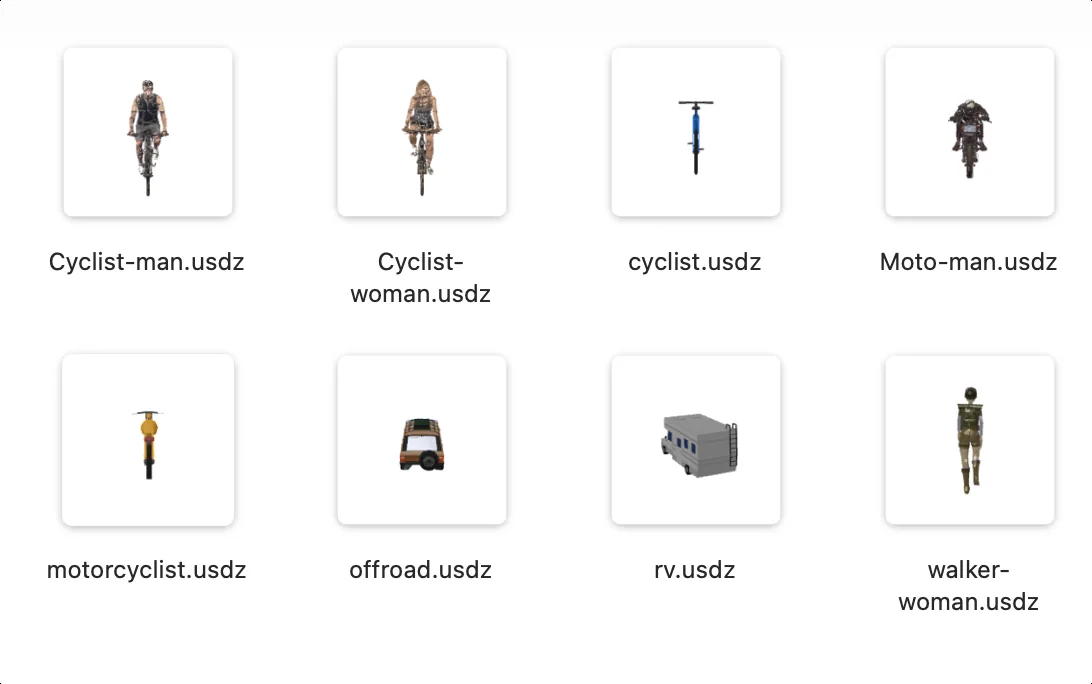
The downloaded models did not share a consistent style Then I understood the missing step. In my second attempt, I had asked a 3D generator to work directly from text. Good text-to-image generation is itself difficult, and I felt those 3D services lacked that capability. Skipping the intermediate image was asking too much. The crucial change was to generate a piece of concept art with GPT first. I took that image to the 3D generation service, and immediately got a usable model.
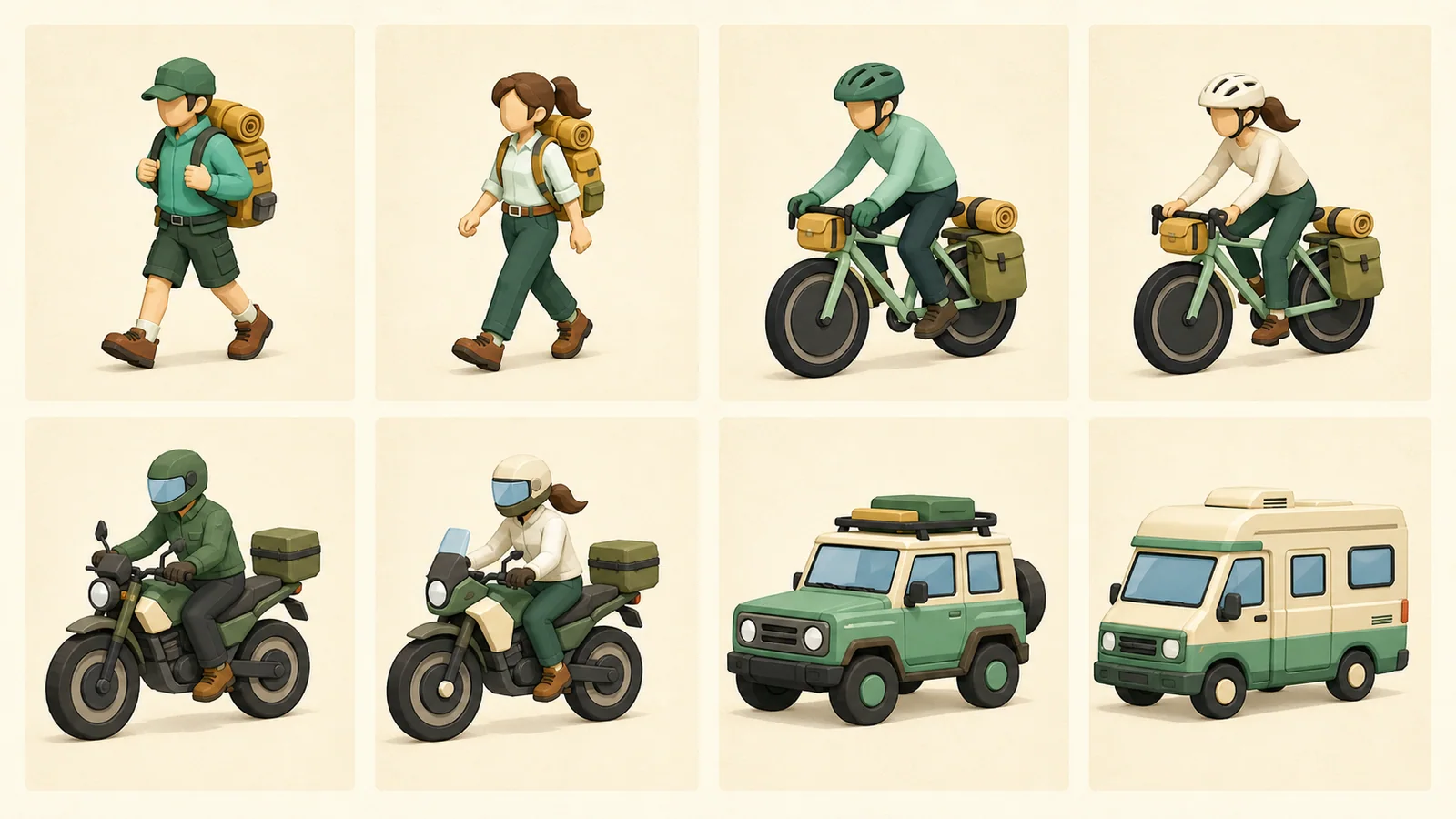
First, create concept art with GPT 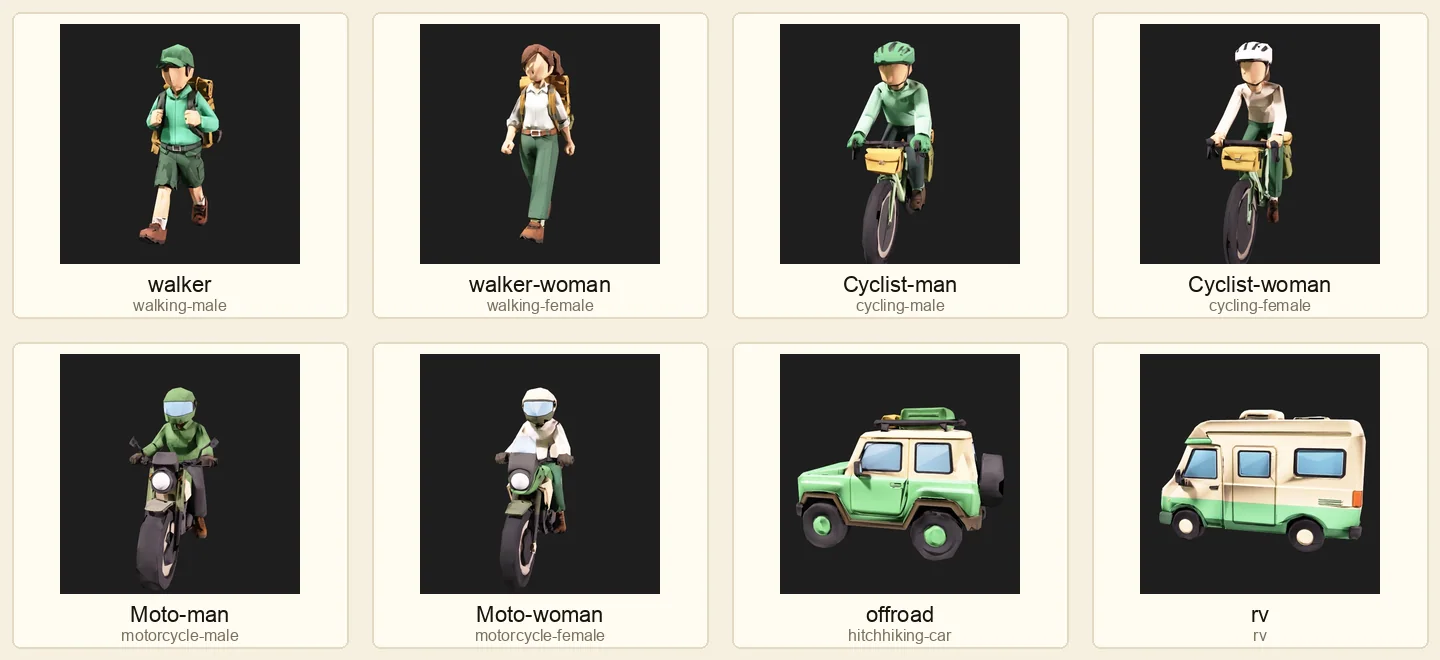
Then generate the 3D model; I used Meshy
That is one small experience I wanted to share with other developers.
A few closing thoughts
It really is a simple little app. Yang and I use it every day to record time spent on activities and let our avatars travel for us. Yang's avatar has almost made it back to Mount Kailash. I chose another circuit around China and have reached Heihe, in the Aihui area of Heilongjiang.
If the idea appeals to you and you would like to travel virtually around China, search for “Focus Faraway” in the App Store and give it a try.