Development journal / FrameFit - Auto Reframe
FrameFit development journal: let an algorithm handle batch reframing
Why I made FrameFit: batch-adjust photos for phones and social platforms, using the subject and golden-ratio composition while keeping manual control.
FrameFit — Auto Reframe does exactly what its name suggests: it reframes photos automatically.
Where the idea came from
This was hardly a problem in the desktop-web era. On a large screen, most photos looked reasonably good. On a portrait-oriented phone, photos with a different shape can be awkward to view. Some platforms, such as Xiaohongshu and WeChat's image-post format, favor a 3:4 ratio for their layouts. Even portrait photos can end up with ugly black or white strips at the sides.
That means reframing photos to fit the platform. It is another job to do, and adjusting them one at a time makes the process feel painfully pointless. I would rather hand that work to an algorithm.
What the app does
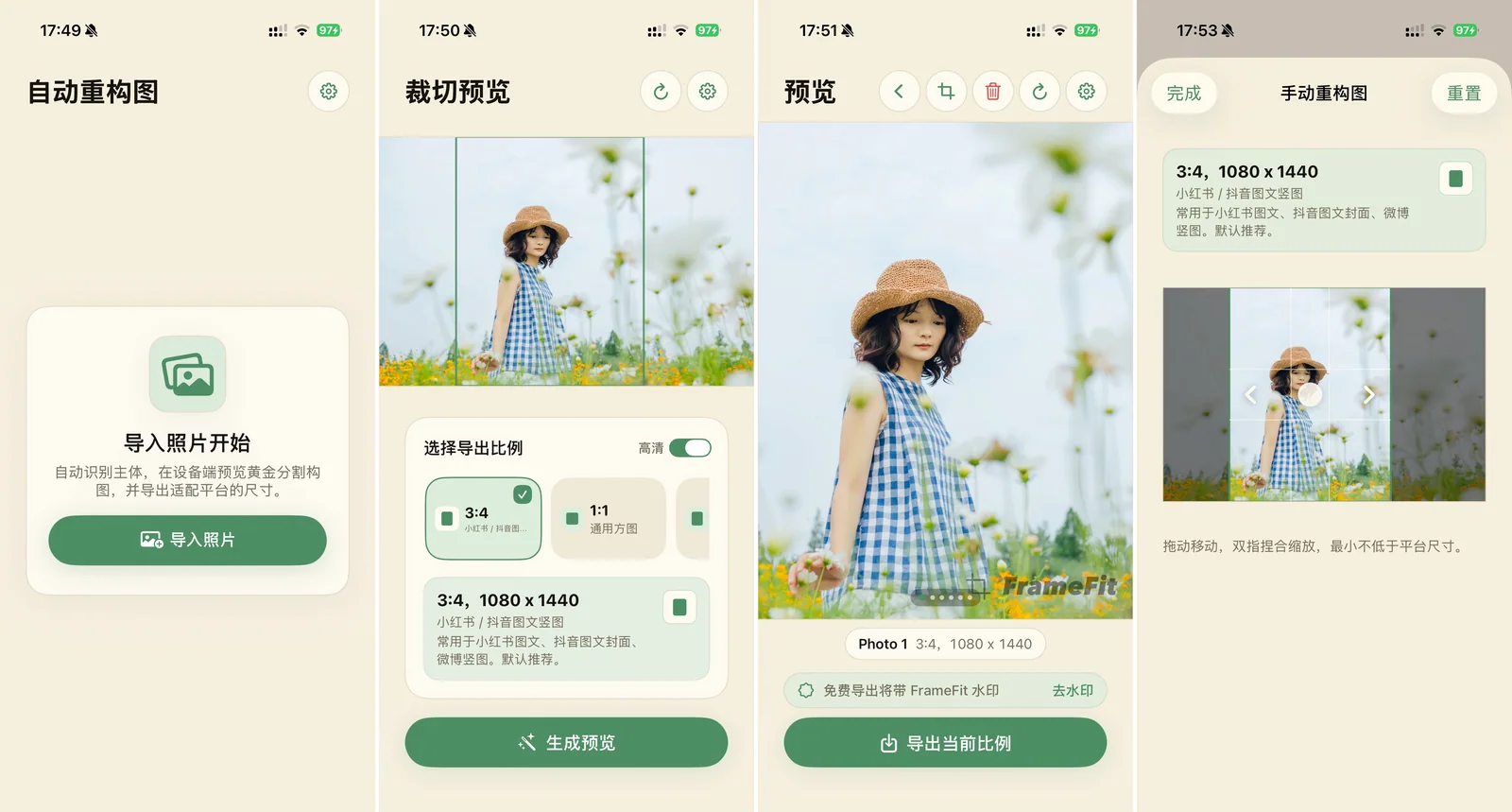
Import a batch of images, reframe them intelligently, and export the batch.
Choose from preset aspect ratios: 3:4 for Xiaohongshu and WeChat image posts, 9:16 for a conventional tall image, and even the unusual 900 × 383 cover size used by WeChat Official Accounts.
After you choose a target ratio, the algorithm reframes the photo around golden-ratio points. It generally places the subject near one of those points, often producing a composition that looks better than a quick crop by someone without photography or composition training.
If you do not like the result, a simple drag lets you adjust it manually.
That is the whole little product, with just one in-app purchase for permanent watermark removal.