Development journal / LivesLong
LivesLong development journal: collages that keep moving
Starting with Live Photo collages, LivesLong grew to include video stitching, video-to-Live-Photo conversion, and animated text that preserve a journey's movement and atmosphere.
Of the apps I have made without any promotion, this one has brought in the most purchases through organic discovery. It is so inexpensive, though, that even a purchase every couple of days does not earn me much.
The English name came first: LivesLong. It plays on Live Photos and the phrase “lives long.” That is why the icon is an old, long-lived tortoise with a Live Photo symbol in the lower-left corner. The Chinese name means something like “long, long Live Photos.”
Where the idea came from
Making a collage is a common need. But if the input is Live Photos and the result should still be a Live Photo, an ordinary collage app is not enough.
Stitched together, the images become one long Live Photo. On platforms that support Live Photos, such as Xiaohongshu, WeChat Moments, and more recently Jike, the result can really stand out.
From that one use case, I gradually added long collages, video stitching, conversion from video to Live Photo, and short animated text pieces. It is now a small but capable Live Photo collage tool.
What the app does
Long collages: Combine Live Photos horizontally or vertically. The first version only switched between those two directions. Now you can choose one to four images per row, so four photos arranged across two rows become a four-cell grid.
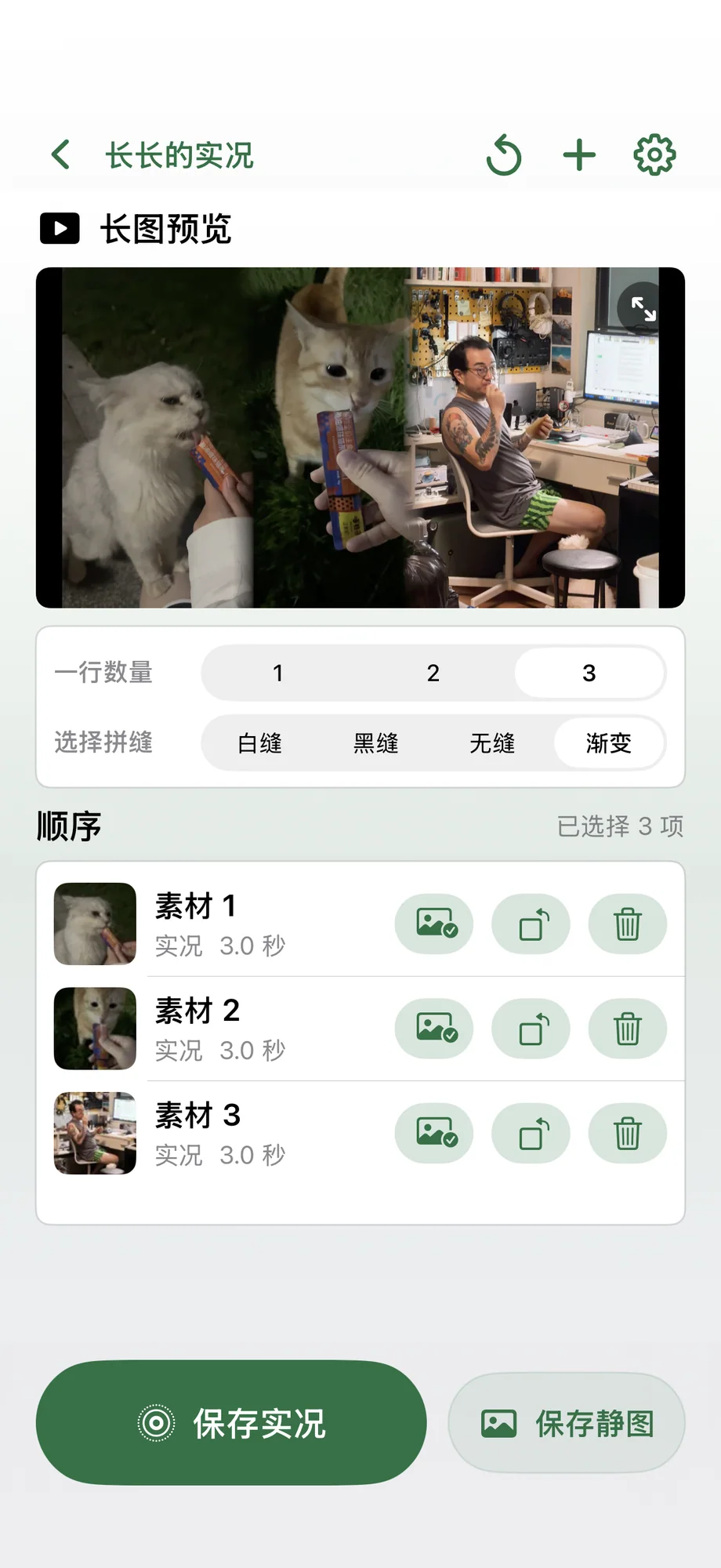
Four Live Photos stitched horizontally 
The exported result, converted to GIF Video stitching: Convert Live Photos to video clips and join them into a longer film. An automatic trimming algorithm removes shaky beginnings and endings caused by moving the phone when taking a Live Photo. We took many Live Photos during “Mao & Yang Around China.” Only when we joined them into a long video did we realize how valuable they all were. Compared with still photos, they brought those scenes back much more vividly. It was quite moving.
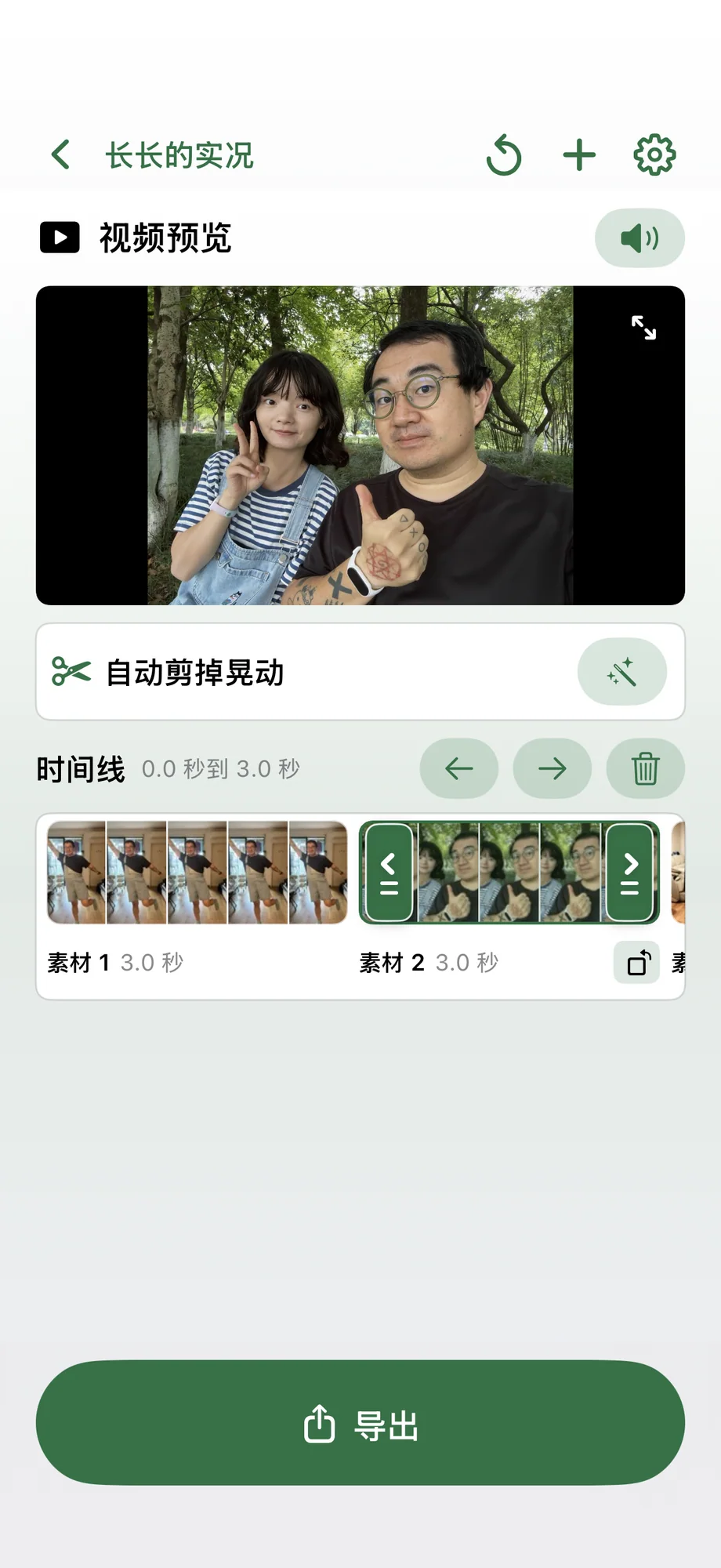
Stitching Live Photos into a video Video to Live Photo: If a Live Photo can become a video, a video can become a Live Photo too. Extract a three-second clip from a longer video and turn it into a Live Photo, then include that little moment among a set of images on a platform such as Xiaohongshu.
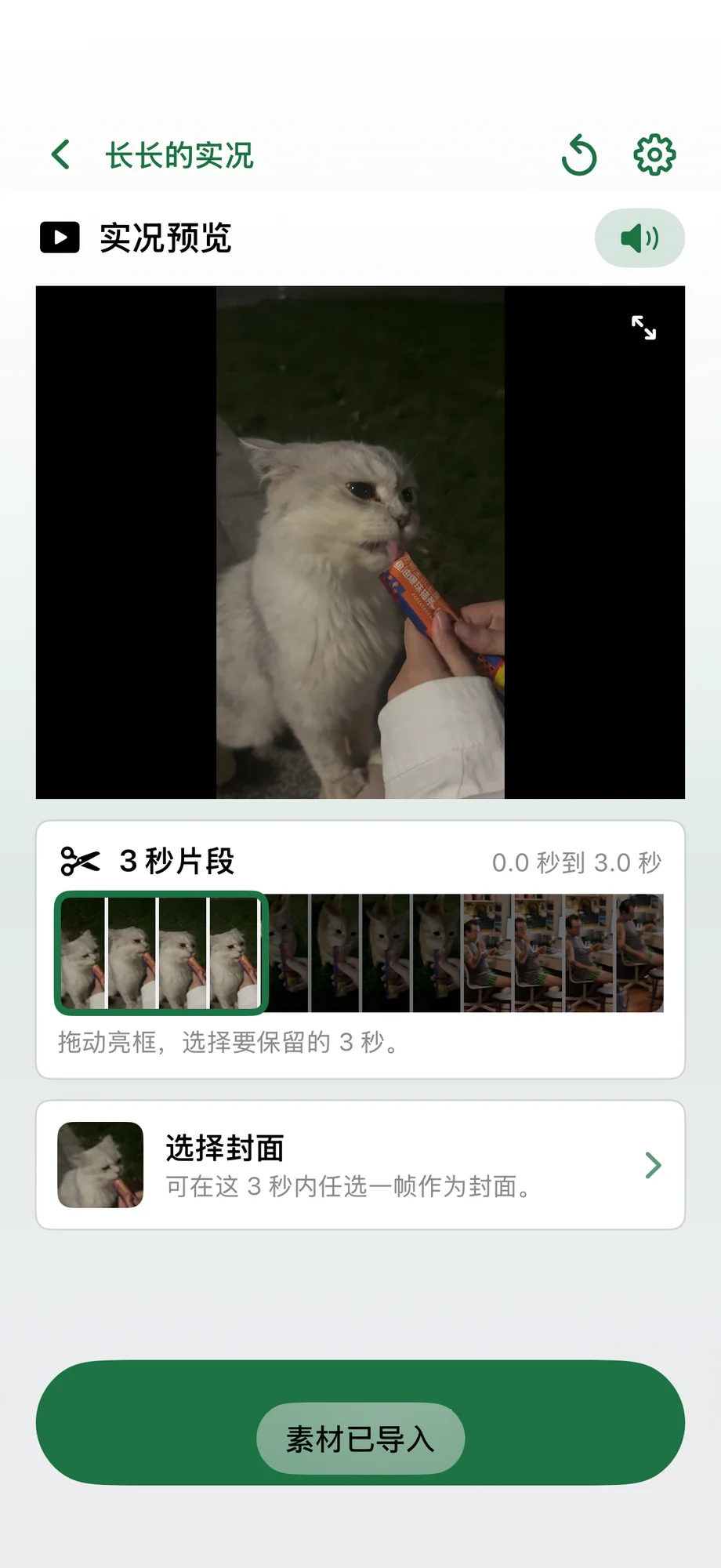
Converting video to a Live Photo Animated text: This recent feature turns a passage of text into a three-second Live Photo. Use your own image or a solid-color background. Short text appears character by character like a typewriter; longer text fades in and out line by line. It is an eye-catching effect. I export these Live Photos in 4K, using what I describe here as Apple's highest supported specification, to keep them sharp. A 1080p result from the standard Apple approach looked much softer to me.
Animated text; converting it to GIF for the original WeChat article reduced the image quality